Know your own backups ran, every one of them.
An in-house team often runs a mix: Veeam for the servers, Synology for a file share, Microsoft 365 for mail, a script for the database. BackupSentinel reads all their reports and shows the ones that need someone.
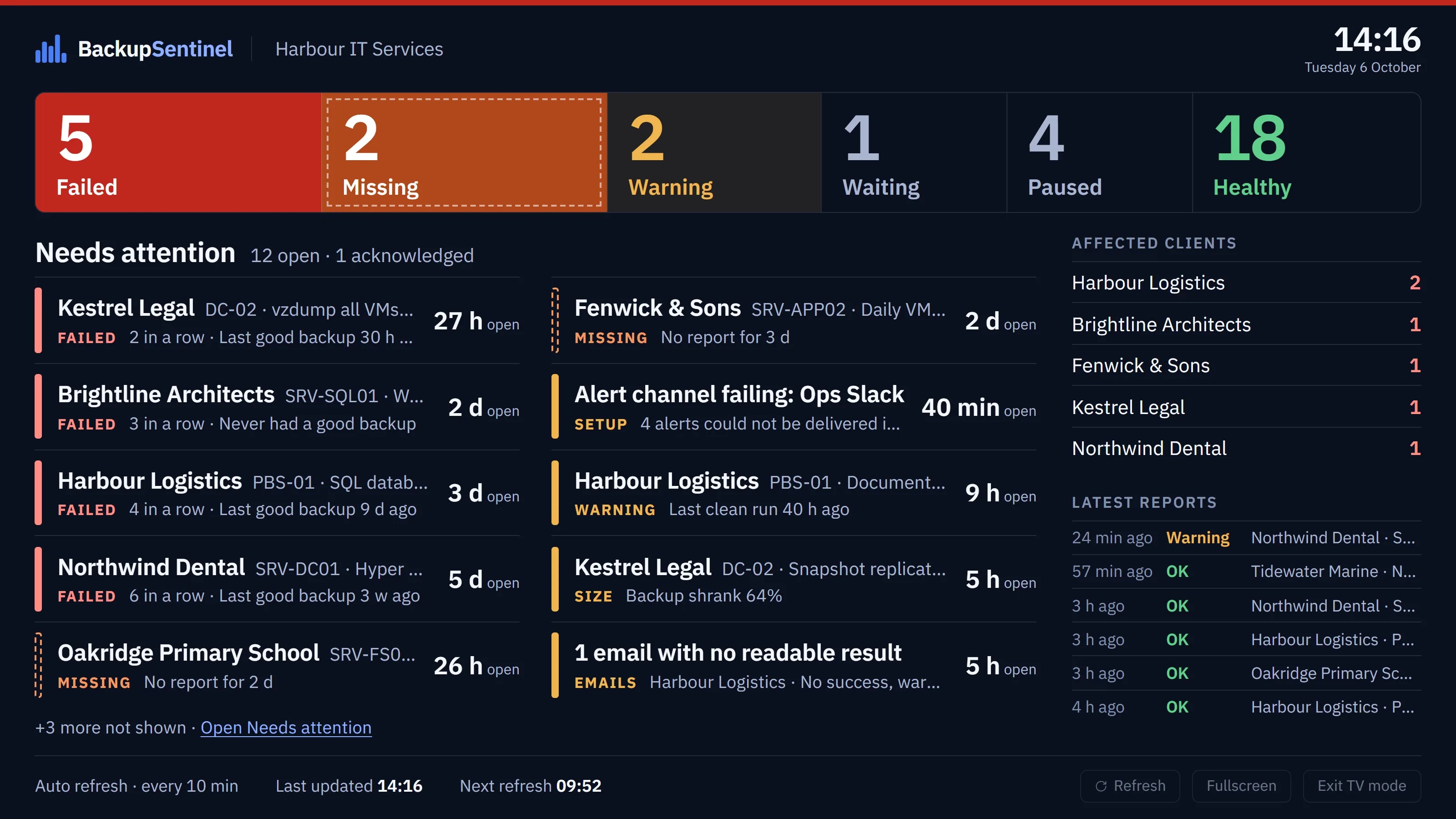
Sites and departments as clients.
BackupSentinel is organised around clients, because many of the people who use it are MSPs. For one organisation, make each site, department or system owner a client: each gets its own report address, its own list of backups and its own SLA target.
A single client works too, when one team owns everything. Clients are unlimited on every plan, so the split is only about how you want to read the list.
- Head office
- Veeam for the virtual machines, Microsoft 365 for mail.
- Branch
- A Synology NAS with Hyper Backup to the cloud.
- Databases
- A nightly script that reports through the API.
What it catches that an inbox rule does not.
- Silence
- A job that stopped running sends nothing. Each job knows when its next report is due and turns Missing when it does not arrive.
- Repeats
- One alert per job, raised from warning to failure in place, closed by the next good report, with a recovery notice.
- Shrinking backups
- A successful backup that wrote half its usual size or less is listed for a look.
- Unreadable reports
- Emails no rule can read wait in the Inbox instead of being taken as success.
Thirty days at a glance, for the audit.
The Backup Matrix shows one row per backup and one cell per day, so the question “did every backup run last month” has an answer you can scroll through. The monthly report gives the success rate and the incidents as CSV.
Alerts go to a Microsoft Teams or Slack channel, to email, or to PagerDuty for the critical ones. Two-factor sign-in can be required for everyone, and the activity log shows who changed what.
Read more.
Every rule is written down, from when a backup turns Missing to who can reveal a device login.
Start with the backup you worry about most.
Point its report at a client address, set how often it runs, and see it turn Healthy, or Missing.