FailedFailed 2 times in a row
Backup job "DC-02 · vzdump all VMs" reported failed: [Failed] vzdump all VMs — repository unreachable
Backup monitoring for MSPs
BackupSentinel reads the report emails your backup software already sends and shows what failed, went missing or needs a look.
When a backup fails, AI explains the likely cause and the fixes to try first.Example of the BackupSentinel Overview with sample data: status counts for 32 backup jobs and the Needs attention list.
The list shows what needs someone, problems first.
Every job knows when its next report is due. If it does not arrive inside the job’s window, the job turns Missing and lands in Needs attention like a failure would. Silence is never read as success.
The window scales with the job: a quarter of the interval (15 minutes to 2 hours) for jobs every 8 hours or more often, a tenth of the interval and at least 2 hours for longer ones.
Grace: 2 h 24 min for a daily job A check every 15 minutes
How it works
No agents, and no access to your backup servers. It reads the emails your backup tools already send.
Point its notification email at the client's address. Nothing to install on the server, no credentials to share.
A built-in rule for the product, or one you wrote and tested, picks out the job name and whether it worked.
Healthy, Warning, Failed, Missing, Waiting or Paused, and the time the next report is due. If it does not come, the job turns Missing.
In plain words, problems first. Acknowledge, snooze or resolve, and the alert goes to email, Slack, Teams or PagerDuty.
Problems sort first everywhere: lists, tables, the client sidebar, tabs.
The last seven results sit on every row, so a flaky backup shows before it fails outright.
One row per backup, one cell per day, for the whole estate.
Each failed, missing or warning backup gets a likely cause and ranked fixes, worked out from the report email with names and addresses removed first. How AI explanations work
SLA, backups, devices, contacts and alert history. Pause a client and monitoring resumes on the date you set.
Reports that match no backup wait here. Start monitoring from the email, assign it, or write a rule and test it on the message.
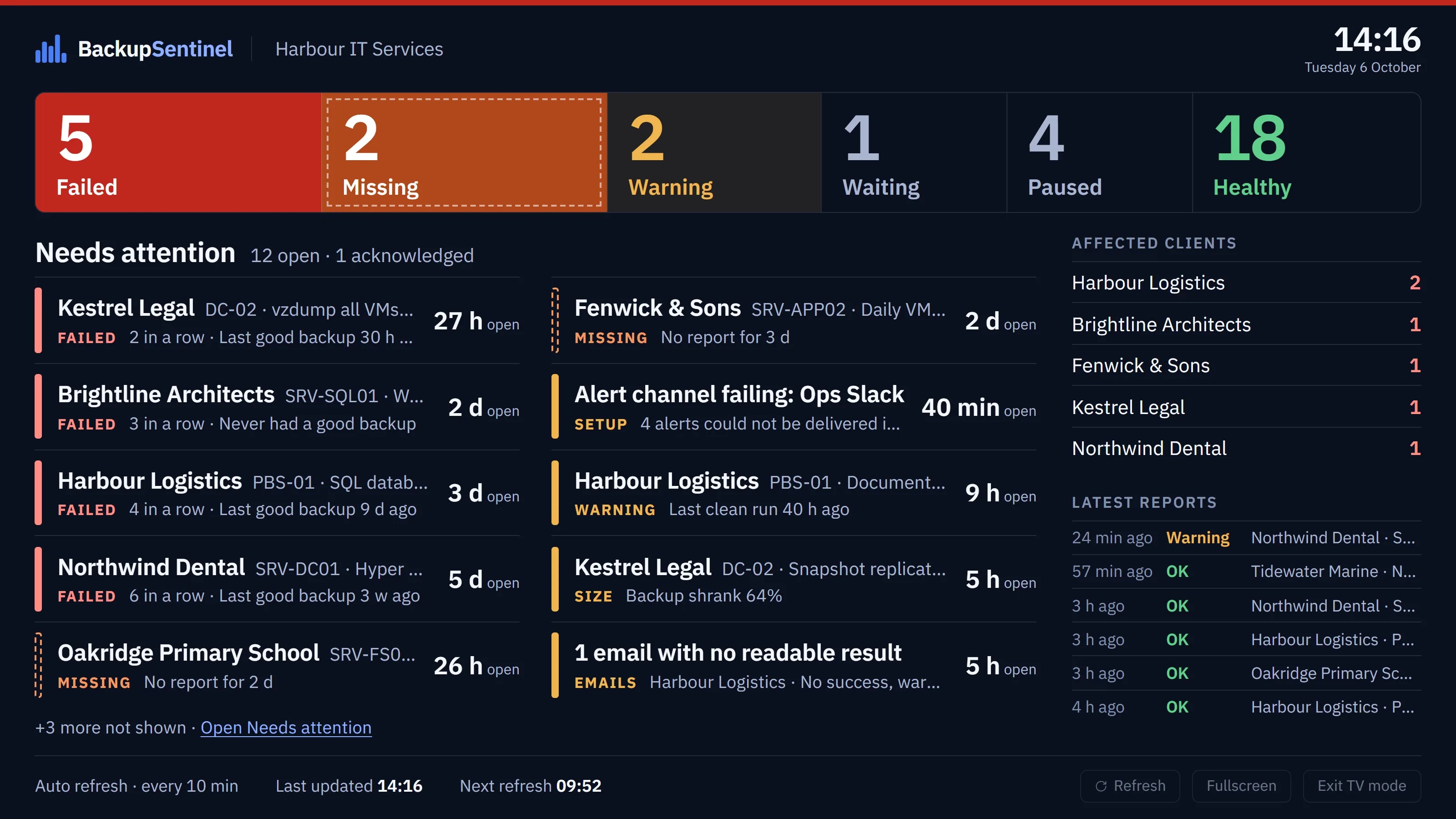
The Overview as a wallboard: status counts and the Needs attention list, large enough to read across the room. It refreshes itself every 10 minutes and says so when its data is stale.
It does not connect to your backup servers. It reads the reports they already send.
Failed deliveries are retried. SMS is not available.
POST /api/v1/jobs/{jobId}/report
Authorization: Bearer bsk_live_…
Idempotency-Key: nightly-2026-10-06

{"status": "ok", "size_bytes": 48318382080}
Supported software and the report API
The same API key connects an MCP client to your workspace: ask what needs attention, look up a client or a backup, and with a Read and act key, acknowledge or resolve alerts.
claude mcp add --transport http backupsentinel \
  https://app.backupsentinel.io/api/mcp \
  --header "Authorization: Bearer bsk_live_…"
The MCP server
Pricing
Plans differ in two things: how many backup jobs they include and how long the evidence is kept.
For small IT teams and solo MSPs getting started with backup monitoring.
or €24.17/month billed yearly
For MSPs managing multiple clients: more monitored jobs, a longer audit trail, branded PDF client reports and a read-only REST API.
or €82.50/month billed yearly
Generate professional PDF backup-health reports with your company branding.
For large MSPs: the highest job allowance, the longest retention and a white-label client portal.
or €207.50/month billed yearly
Clients, devices and team seats are unlimited on every plan. Prices exclude VAT. Compare plans and read the FAQ
Point its report email at the address you get on sign-up. Within a day you will know whether it reported.